GaugeMon
Mac Performance Guide
kernel_task using high CPU on Mac
Short answer
When your Mac gets too hot, macOS makes kernel_task look busy on purpose: it schedules idle time on the CPU so other processes get less of it and the chip cools down. The CPU it "uses" is time the other apps did not get. Killing it is impossible (it is the kernel) and would not help. The fix is to reduce heat and load.
Confirm it from the terminal
kernel_task is PID 0, and ps does not list it. Use top, and take two samples, because the first one prints 0.0 for everything:
top -l 2 -n 10 -o cpu -stats pid,command,cpu,userRead the second block. On a busy Mac it looks like this:
PID    COMMAND          %CPU USER
606    WindowServer     63.7 _windowserver
558    mds              35.4 root
0      kernel_task      33.3 root
Then ask macOS whether it has recorded thermal trouble. This needs no sudo:
pmset -g thermNote: No thermal warning level has been recorded
Note: No performance warning level has been recorded
Note: No CPU power status has been recordedThat is a cool Mac. If it reports a thermal or performance warning level instead, the Mac is under thermal pressure and kernel_task is doing its job. sudo powermetrics --samplers thermal -n 1 also reports the current thermal pressure level, but it needs sudo.
Why it happens, and what to do
kernel_task is also where the kernel's own work is counted, such as drivers and heavy disk or network I/O, so a moderate number is normal. A large, persistent number together with a warm Mac is the thermal case.
- Find the process producing the heat: it is usually the one right next to
kernel_taskin thetoplist above. Quit or pause it. - Give the Mac air. A laptop on a bed or sofa, or blocked vents, heats up fast.
- Reduce the load around it: fewer external displays, fewer browser tabs, a finished Spotlight index or backup.
- Do not follow guides that delete kernel extensions or disable System Integrity Protection. They remove the safety valve, not the heat.
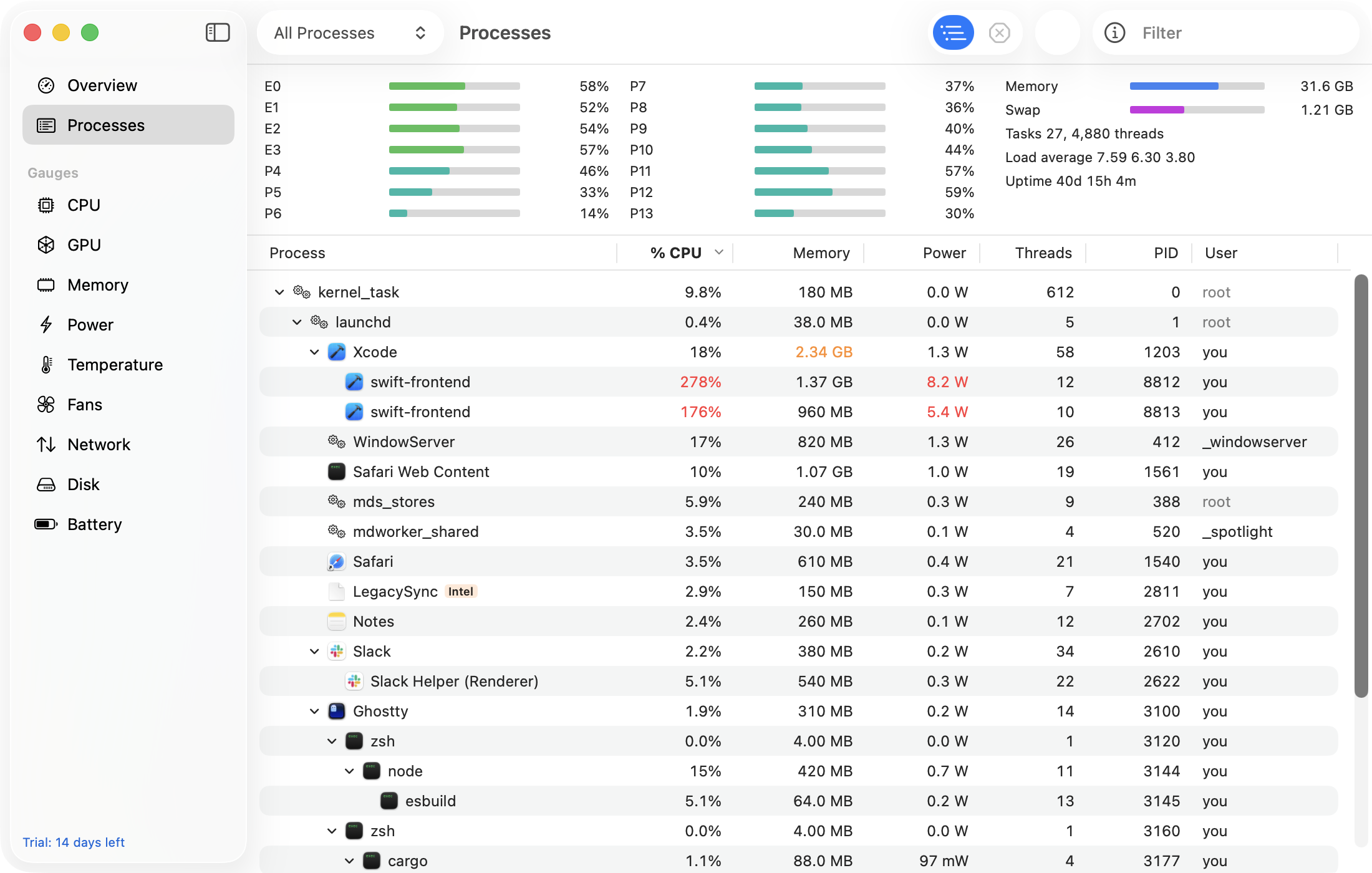
The easier way: GaugeMon
GaugeMon's Temperature and CPU gauges sit in your menu bar, so you see the Mac heating up before kernel_task starts throttling. The Processes window sorts by CPU or by power in watts and, with the optional helper, fills in the real numbers for root processes like kernel_task too.