GaugeMon
Mac Performance Guide
mds_stores and Spotlight using high CPU on Mac
Short answer
mds, mds_stores and mdworker_shared are Spotlight. The mdworker_shared processes read new and changed files, and mds_stores writes what they find into the index. They get busy after a macOS update, a migration, a newly connected disk, or whenever lots of files change, and go quiet once they have caught up. Waiting is usually the fix.
Check it from the terminal
List the Spotlight processes and their CPU:
ps -axco pid,user,%cpu,comm | grep -E ' PID|md(s|worker)' PID USER %CPU COMM
558 root 4.0 mds
836 _mds_stores 1.6 mds_stores
74753 suresk 0.1 mdworker_sharedmds runs as root and mds_stores as its own system user, which is why htop without sudo shows them at 0%. See which volumes Spotlight indexes; an external or backup disk here can explain a long busy spell:
mdutil -a -s/:
Indexing enabled.
/System/Volumes/Data:
Indexing enabled.
/System/Volumes/Preboot:
Indexing enabled.To see which files are being read, watch the workers. This needs sudo, and stops with Control-C:
sudo fs_usage -w -f filesys mdworker_sharedThe same folder over and over (a build output, node_modules, a VM disk image, a sync folder) is your answer.
What to do about it
- After an update or migration, leave the Mac awake for a while and let it finish.
- Exclude folders that change constantly and you never search: System Settings › Spotlight, then Search Privacy… (Spotlight Privacy… on older versions), and add the folder or disk. Turning off search result categories only hides results; it does not stop indexing.
- If it stays busy for days with nothing changing, rebuild the index with
sudo mdutil -E /. It re-indexes from scratch, so expect it to be busy again for a while first. - Avoid turning indexing off completely (
sudo mdutil -i off /). Search in Mail, Finder and other apps depends on it.
The easier way: GaugeMon
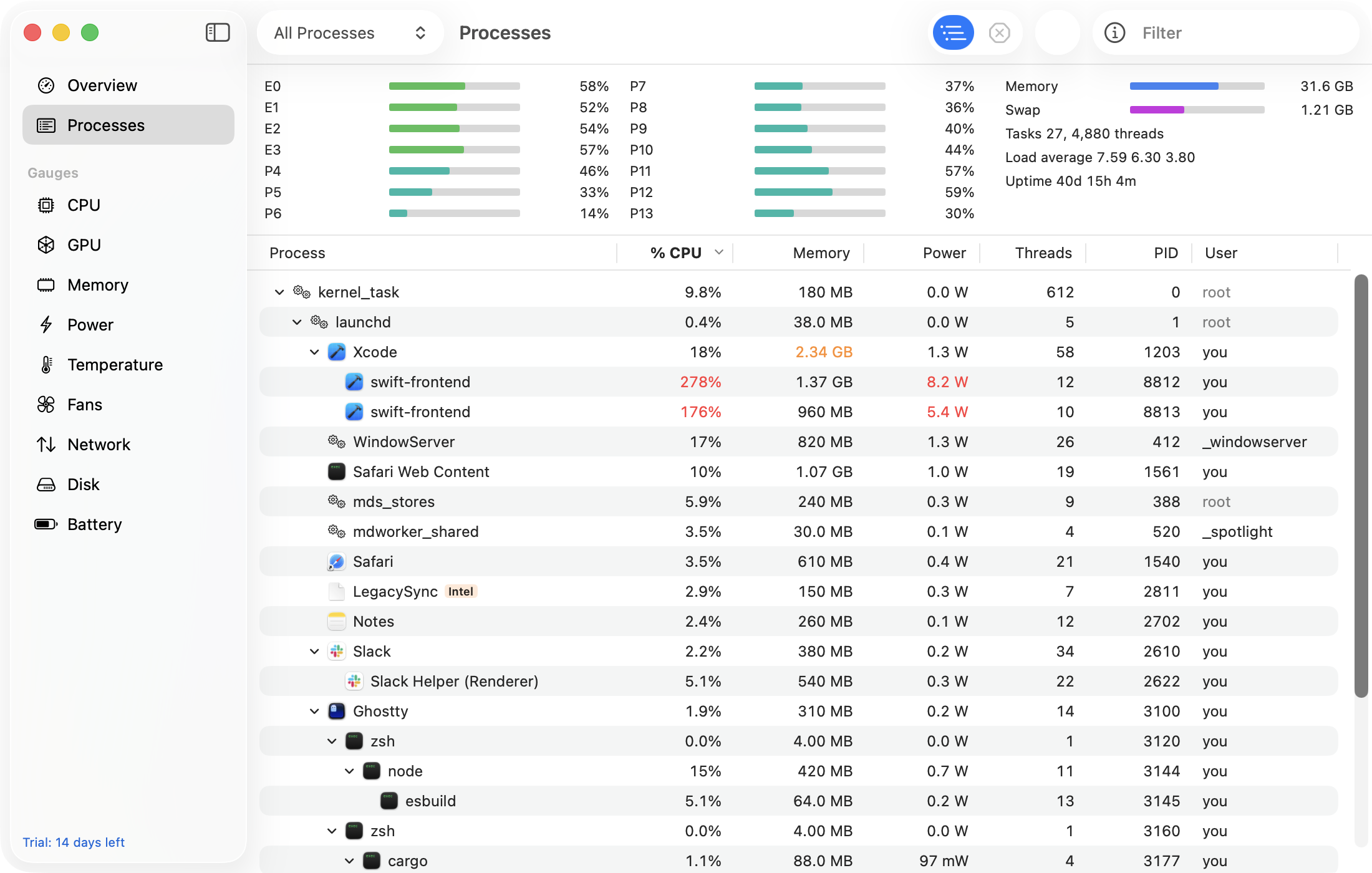
GaugeMon's CPU gauge shows you when the Mac is busy, and its Processes window shows mds_stores and the mdworker_shared processes with CPU, power in watts and disk read and write per second, so you can tell indexing from the app that is feeding it files. With the optional helper, the numbers for mds and mds_stores are filled in, not left at zero.